

Close Menu

    Subscribe to Updates

    Get the latest creative news from FooBar about art, design and business.

    What's Hot

    Perplexity Computer Local AI Mode Lands on Mac Hardware

    October 21, 2026

    Why Putting Phones in TSA Bins Ruins Device Hygiene

    October 21, 2026

    Google Cloud Outage Freezes UK Digital Economy

    October 21, 2026
    Facebook X (Twitter) Instagram
    techdrogo.comtechdrogo.com
    • Home
    • About Us
    • Legal
      • Disclaimer
      • Privacy Policy
      • Terms and Conditions
    • Contact Us
    Facebook X (Twitter) Instagram
    techdrogo.comtechdrogo.com
    Home » Why Putting Phones in TSA Bins Ruins Device Hygiene
    Smart Devices

    Why Putting Phones in TSA Bins Ruins Device Hygiene

    Dhiraj K.By Dhiraj K.October 21, 2026No Comments3 Mins Read
    Facebook Twitter Pinterest Telegram LinkedIn Tumblr WhatsApp Email
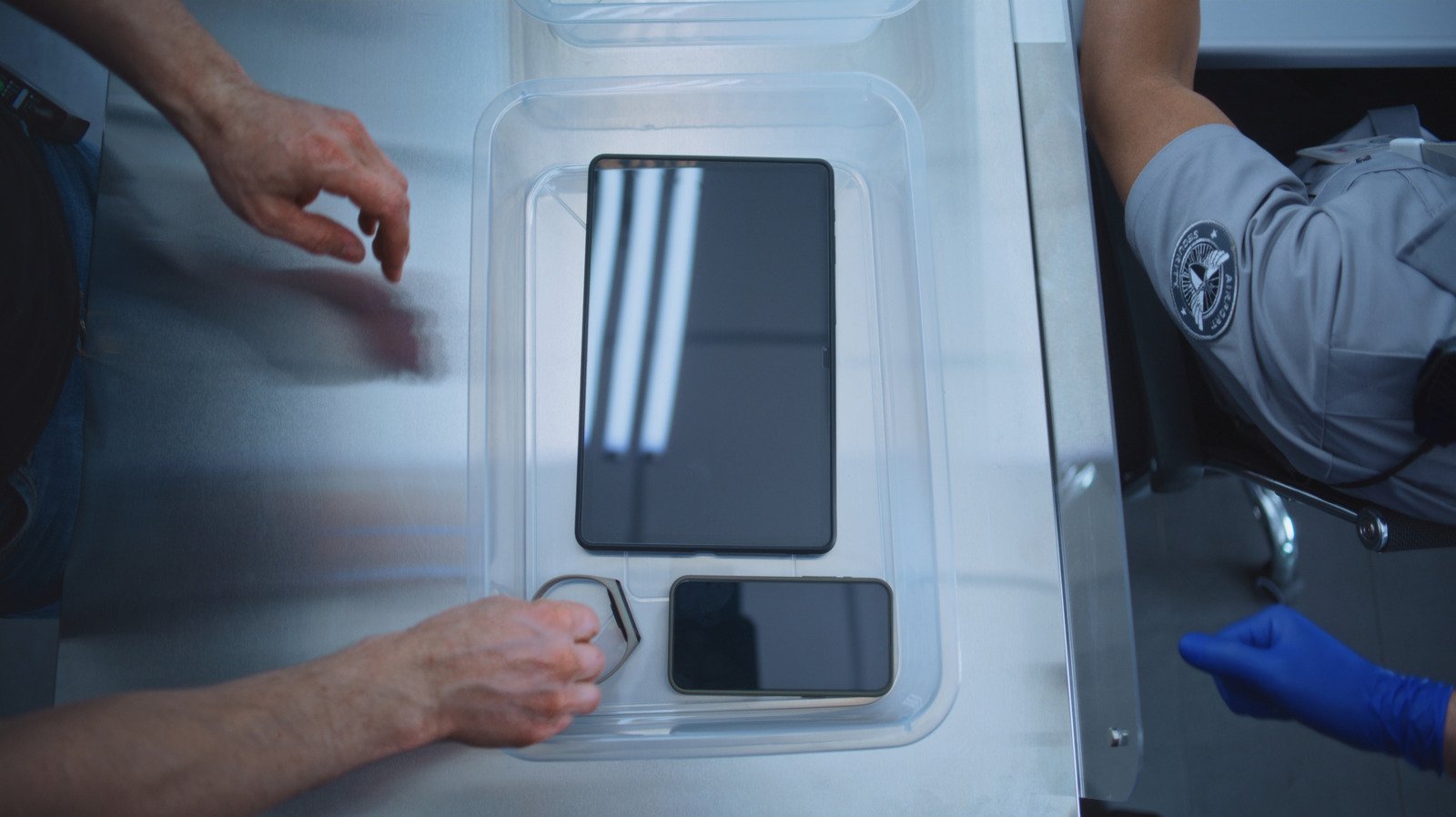
    dirty TSA bins at airport security
    Share
    Facebook Twitter LinkedIn Pinterest Telegram Email

    The Hidden Germs Hiding Inside Standard TSA Bins

    Travelers often rush through aviation checkpoints, focusing entirely on boarding passes and flight schedules while completely ignoring the cleanliness of TSA bins. Yet, these plastic trays are touched by thousands of people daily, collecting everything from outdoor dirt to respiratory droplets. Because smartphones press directly against our faces all day long, placing them unprotected into these grimy containers introduces a surprising amount of bacteria.

    Although airport staff manage incredible passenger volume under tight deadlines, sanitizing every single tray between users simply does not happen. That reality makes personal device hygiene an important priority for frequent flyers. Instead of letting your phone roll around alongside dirty shoes and heavy luggage wheels, adopting smarter packing habits helps protect both your health and your peace of mind.

    Tsa Bins: Simple Ways to Safeguard Your Phone at the Gate

    Fortunately, avoiding surface contamination requires very little effort if you prepare your gear before joining the line. Before reaching the conveyor belt, slip your mobile device inside an interior pocket of your backpack or tuck it securely into a coat pocket. Placing that coat into the container acts as a reliable physical barrier against the plastic surface.

      • Place smartphones inside zippered jacket pockets before loading trays.
      • Keep loose keys and wallets tucked safely inside your primary carry-on luggage.
      • Pack alcohol-based hand sanitizer to clean your hands right after clearing the checkpoint.
      • Use rugged, fully enclosed laptop sleeves to protect larger computers from grime.

    For more comprehensive tips on navigating busy travel terminals smoothly, review the official recommendations offered by the Transportation Security Administration before your departure.

    Handling Larger Electronics and Laptops

    In terms of Tsa Bins, While tucking away a pocket-sized gadget is easy, larger electronics present a different challenge. Most standard security lanes still require laptops, tablets, and portable gaming consoles to sit openly in separate containers so X-ray machines can scan internal components clearly.

    Recommended ReadingSanDisk Extreme 1TB SSD Proves Worth Its Price Tag →

    Because you cannot easily hide a 15-inch laptop inside a jacket pocket at traditional checkpoints, having a durable protective case becomes mandatory. That case absorbs the contact with the dirty tray, keeping your expensive hardware safe from residue and moisture. Meanwhile, advanced CT scanners deployed at select airports now let passengers leave electronics inside bags altogether, reducing overall contact.

    Recommended ReadingSmart Home Brands Face Backlash Over Doorbell Ranges →

    Smart Travel Habits for Better Health

    In terms of Tsa Bins, Maintaining clean tech while traveling does not require extreme measures, just consistent mindfulness. By altering where you place your loose items before screening, you keep harmful pathogens away from the device you hold against your face daily. Taking these small steps guarantees a cleaner, less stressful start to any journey.

    Airport Tips Mobile Phones Travel Safety TSA bins
    Share. Facebook Twitter Pinterest LinkedIn Tumblr Email
    Dhiraj K.
    • Website

    Executive Editor and senior technology correspondent at TechDrogo. Dhiraj leads editorial coverage on emerging consumer gadgets, enterprise digital transformation, and regional technology developments with unbiased product analyses.

    Related Posts

    Spotify Family Plan Updates Spark Strict QR Code Rules

    October 21, 2026

    Pebble Qore 2 Delivers Stellar Battery But Flawed Tracking

    October 21, 2026

    Nothing Phone 4a Shakes Up Mid-Range Pricing With Telephoto

    October 21, 2026

    New NIH Division Targets Gaps in Women’s Health Research

    October 21, 2026

    Airtel Introduces Voice-Only Prepaid Plans to Cut Data Costs

    October 21, 2026

    Smart Home Brands Face Backlash Over Doorbell Ranges

    October 20, 2026
    Leave A Reply Cancel Reply

    Top Reviews
    Editors Picks

    Perplexity Computer Local AI Mode Lands on Mac Hardware

    October 21, 2026

    Why Putting Phones in TSA Bins Ruins Device Hygiene

    October 21, 2026

    Google Cloud Outage Freezes UK Digital Economy

    October 21, 2026

    Mass General Deploys AI Tool to Predict Patient Survival

    October 21, 2026
    Advertisement
    Demo
    About Us
    About Us

    Your source for the lifestyle news. This demo is crafted specifically to exhibit the use of the theme as a lifestyle site. Visit our main page for more demos.

    We're accepting new partnerships right now.

    Email Us: info@example.com
    Contact: +1-320-0123-451

    Our Picks

    Perplexity Computer Local AI Mode Lands on Mac Hardware

    October 21, 2026

    Why Putting Phones in TSA Bins Ruins Device Hygiene

    October 21, 2026

    Google Cloud Outage Freezes UK Digital Economy

    October 21, 2026
    Top Reviews
    © 2026 All rights reserved. TechDrogo.
    • Home
    • Privacy Policy
    • Contact Us
    • About Us
    • Disclaimer
    • Terms and Conditions

    Type above and press Enter to search. Press Esc to cancel.