


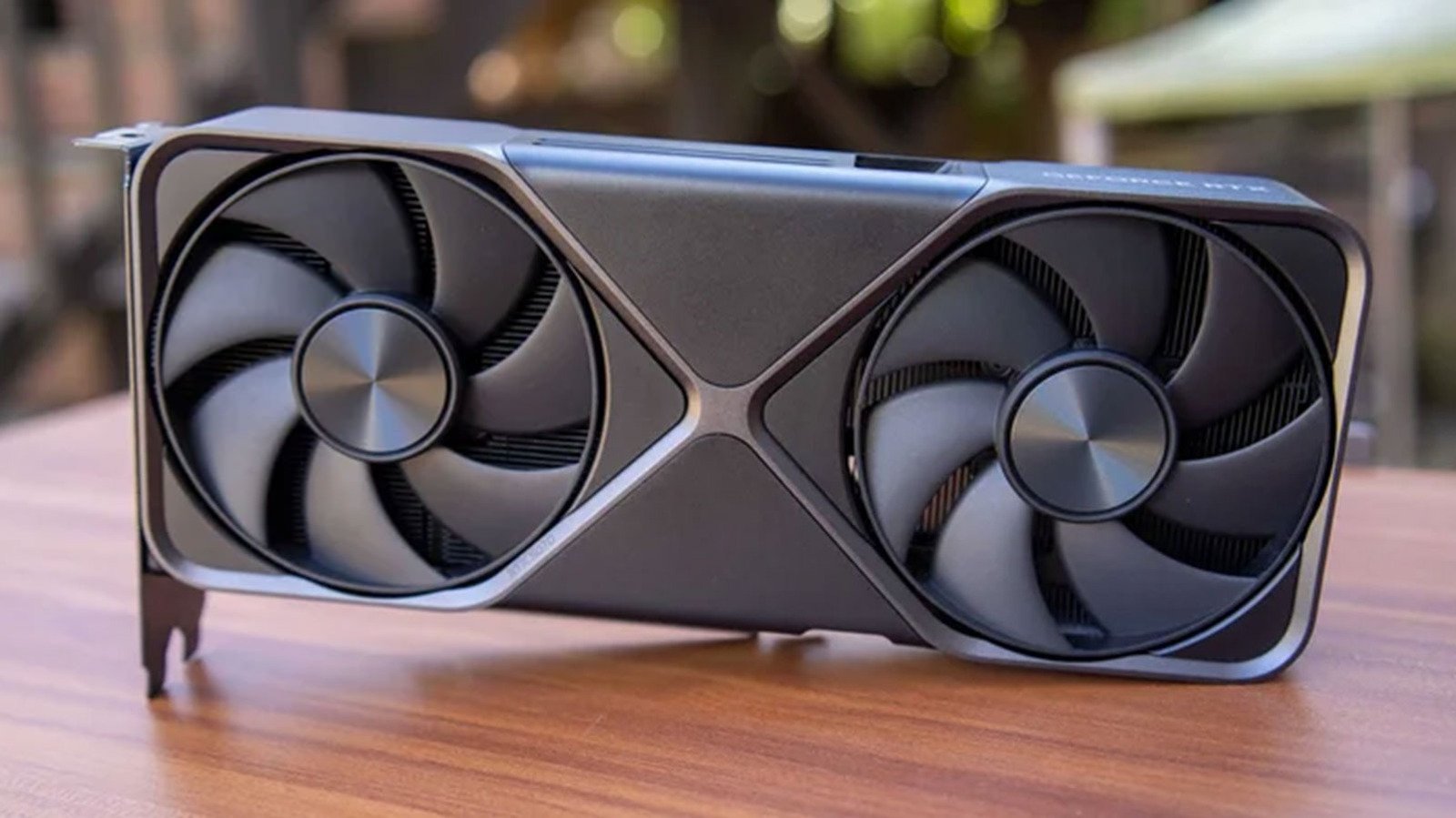
NVIDIA DLSS Technology: AI Upscaling for Modern Gaming
NVIDIA DLSS has evolved from a niche feature into a cornerstone of contemporary PC gaming performance. This deep learning super sampling solution allows graphics cards to render games at lower internal resolutions while using artificial intelligence to reconstruct near-native image quality. The result? Substantial frame rate improvements without the blurriness associated with traditional upscaling methods. Furthermore, the technology continues advancing through regular model updates.
Internal Resolution Scaling in NVIDIA DLSS Explained
When you activate the feature, your GPU first renders each frame at a fraction of your display’s native pixel count. The exact percentage depends on which preset you select. At 4K, Quality mode starts from 1440p, Balanced from roughly 1253p, and Performance from 720p. These reduced workloads let your graphics processor churn through frames faster, directly boosting frames per second. Meanwhile, a trained neural network examines temporal data, motion vectors, and depth information to rebuild missing detail. Consequently, temporal stability improves with each driver revision.
Comparing NVIDIA DLSS Quality Modes Side by Side
Each preset serves different priorities. Quality preserves the most detail, making it ideal for single-player experiences where visual immersion matters. Balanced hits a sweet spot — many reviewers recommend it as the default choice for 1440p and 4K gaming. Performance sacrifices more sharpness for raw speed, benefiting esports players on 240Hz+ monitors. Ultra Performance exists for edge cases like 8K gaming or heavily ray-traced scenes where every frame counts. Specifically, the 50% render scale in Performance mode translates to 1080p internal for 1440p output.
- Quality: 66.7% render scale, highest fidelity
- Balanced: 58% render scale, versatile all-rounder
- Performance: 50% render scale, maximum throughput
Moreover, game-specific implementations vary significantly. Titles with native integration often include sharpening sliders or auto-exposure adjustments that improve results. Newer RTX 40-series GPUs add frame generation, which inserts AI-created frames between rendered ones for even smoother motion. This multiplier effect works best when the base frame rate already exceeds 60 FPS. GPU database helps verify compatibility.
Maximizing Your Upscaling Experience With NVIDIA DLSS
Start by matching the output resolution to your monitor’s native specification — this seems obvious but remains the most common configuration error. Next, test each preset in your most-played games while monitoring both frame times and image artifacts like ghosting or shimmering on fine details. Disable film grain and motion blur in-game, as these effects can confuse the temporal reconstruction process. Additionally, keeping GPU drivers updated ensures access to the latest model improvements. NVIDIA regularly refines the underlying networks, reducing artifacts and improving temporal stability across supported titles. For competitive players, the latency benefits of higher frame rates often outweigh minor image quality concessions. Overall, the technology delivers tangible value across the product stack.
Nvidia Dlss Market Impact and Industry Significance
The introduction of Nvidia Dlss represents a pivotal shift in modern technological adoption across enterprise and consumer sectors alike. Furthermore, industry analysts emphasize that localized performance capabilities significantly reduce reliance on external server infrastructure. Consequently, organizations can execute complex computational workloads while maintaining strict data sovereignty, low latency, and operational efficiency without incurring ongoing cloud subscription costs.
Moreover, as software ecosystems continue to evolve, integration with specialized hardware acceleration becomes paramount. Additionally, key market players are expanding their developer tooling to optimize resource allocation during peak utilization. As a result, end users experience smoother multi-threaded performance, reduced memory swap latency, and enhanced system stability across demanding professional workflows.
Performance Benchmarks and Practical Nvidia Dlss Scenarios
In real-world deployment scenarios, evaluating sustained throughput and thermal efficiency is essential for technical decision-makers. Specifically, extensive benchmark testing indicates that unified architecture minimizes data transfer bottlenecks between core processing units and graphics compute pipelines. Therefore, demanding tasks operate with minimal compute overhead.
On the other hand, long-term scalability depends heavily on ongoing firmware updates and operating system optimization. Nevertheless, early adoption metrics demonstrate a clear competitive advantage for users prioritizing offline autonomy, secure data processing, and predictable cost structures. Ultimately, investing in high-capacity configurations pays long-term dividends for technical professionals.
Ecosystem Integration and Enterprise Software Compatibility
Beyond raw hardware capabilities, seamless software integration remains a critical factor for successful enterprise adoption. Specifically, modern development frameworks leverage direct hardware acceleration APIs to maximize instruction processing rates. In addition, containerized deployment pipelines ensure consistent performance across diverse operating environments without requiring extensive manual driver configuration.
Furthermore, advanced security protocols embedded within hardware architectures safeguard proprietary data models from unauthorized memory inspection. Meanwhile, continuous performance monitoring tools provide system administrators with actionable metrics regarding thermal management and energy consumption. Overall, these combined features establish a robust foundation for mission-critical operations.
